Packs / AI video and UGC ad creators / AI UGC Ad Video Prompts for Sora, Veo and Kling: Product Demo and Hook Scripts
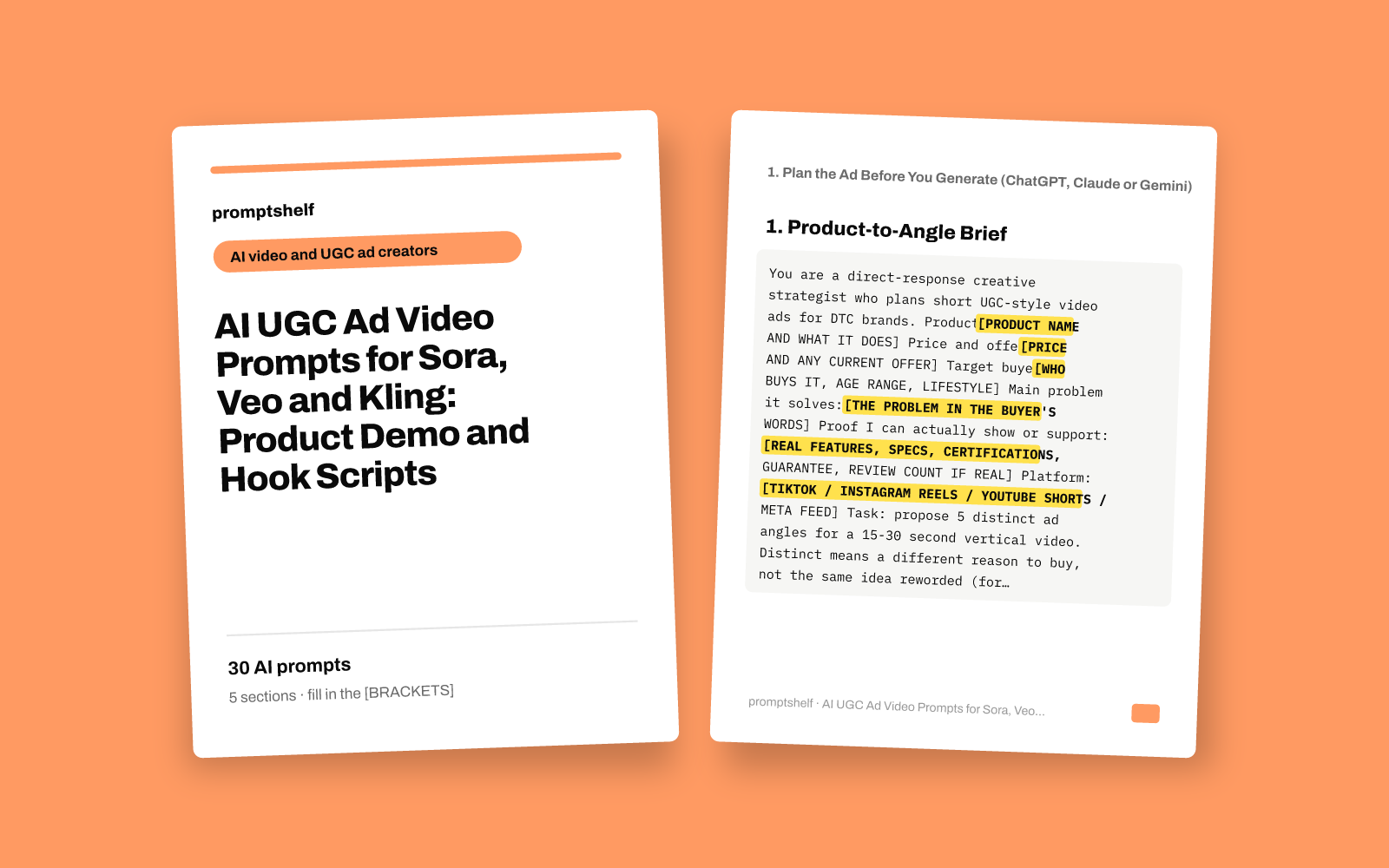
AI UGC Ad Video Prompts for Sora, Veo and Kling: Product Demo and Hook Scripts
Shot-by-shot prompts and 15-30 second scripts for UGC-style product ads you can generate with AI video tools.
Secure checkout by Gumroad: card, PayPal or Apple Pay. Instant download, no account needed.
Also in The All-Access Pass: every prompt pack: 16 packs for $29, save 89%.
- 30 ready-to-use prompts
- Instant PDF download
- Works with any AI assistant
- Pay once, keep forever
About this pack
30 prompts for planning and generating short UGC-style product video ads with AI video tools like Sora, Veo, Kling and Runway. The pack follows a real workflow: pick an angle and hooks with ChatGPT, Claude or Gemini, write a 15 or 30 second shot-by-shot script, turn it into one generation prompt per clip, then build hook shots, demo shots, creator-style talking shots, B-roll and an end card.
Every video prompt spells out subject, action, setting, camera, lighting, style, duration, 9:16 framing and what to avoid, with a [FILL-IN] for each detail you change. Each one comes with a filled-in example for an invented sample product, so you can see exactly how to use it. There is also a claims and disclosure check, and the talking shots are written so an AI or paid presenter speaks as the brand or a creator, never as a made-up customer.
What is not included: no video files, no software, and no guarantee that any tool renders a shot perfectly on the first try. Clip length limits, audio and image-to-video options differ by tool and plan, so expect to generate a few versions and edit the clips together yourself. Results depend on your product, offer and testing.
What you get
- Prompts
- 30, in 5 sections
- Format
- PDF + plain-text copy
- Works with
- ChatGPT, Claude, Gemini, Copilot and other AI chat assistants
- Delivery
- Instant download, link also emailed
- Licence
- Your own personal and business use
- Guarantee
- 7-day fix-or-refund if the file is faulty
Try two prompts free
Product-to-Angle Brief
Use first, before writing any script, to find the strongest selling angle for one product.
10 Scroll-Stopping Hooks for One Angle
Use when you have chosen an angle and need hook options to test in the first 3 seconds.
Highlighted parts are what you fill in.
Everything inside
1. Plan the Ad Before You Generate (ChatGPT, Claude or Gemini)
- Product-to-Angle Brief
- 10 Scroll-Stopping Hooks for One Angle
- 15-Second UGC Script, Shot by Shot
- 30-Second Script with Objection Handling
- Script to Generation Prompt List
- Claims and Disclosure Check
2. Hook Shots: The First 3 Seconds (Sora, Veo, Kling)
- Product Drop Reveal
- Problem-in-Action Hook
- Selfie Direct-Address Hook
- Split-Screen Before and After
- Hands-Only Unboxing POV
- Pattern-Interrupt Opener
3. Product Demo Shots
- Step-by-Step Hands Demo
- Feature Macro Detail
- In-Use Lifestyle Shot
- Honest Side-by-Side Comparison
- Size and Scale Reference
- Image-to-Video from Your Real Product Photo
4. Creator-Style Talking Shots
- Couch or Counter Explainer
- "3 Reasons" Listicle Segment
- Objection Answered on Camera
- Founder or Brand Spokesperson Segment
- Walk-and-Talk Vlog Shot
- Green-Screen Reaction Setup
5. B-Roll, Transitions, End Cards and Testing
- Hero Product Turntable Loop
- Lifestyle Mood B-Roll
- Match-Cut Transition Pair
- Offer and Call-to-Action End Card
- Seasonal Variant of a Winning Shot
- A/B Test Variation Batch
Who it's for
- Shopify and DTC brand owners who want product video ads without booking creators for every test
- Freelance UGC and ad creators who use AI video tools to deliver more concepts to clients
- Small e-commerce teams that need fresh hooks and variants for TikTok, Reels and Shorts
- Marketers new to Sora, Veo or Kling who want structured prompts instead of guessing
How to use it
- Start in Section 1 with ChatGPT, Claude or Gemini: run the angle brief, pick hooks, and write a 15 or 30 second script.
- Run the claims and disclosure check on the script before you generate anything.
- Use the script-to-prompt converter, or pick prompts from Sections 2-5, and replace every [BRACKETED PLACEHOLDER] with your product details.
- Paste each prompt into your video tool, generate 2-4 versions per clip, and keep the ones where the product looks accurate.
- Edit the clips together in CapCut, Premiere or your usual editor, add your real price, code and logo as text, label the ad as required, and test variants with the A/B prompt.
Questions
- Which AI video tools do these prompts work with?
- They are written for text-to-video and image-to-video tools such as Sora, Veo, Kling and Runway. The structure (subject, action, setting, camera, lighting, style, duration, avoid) works across them. Tools differ in clip length, audio and lip-sync, so tools without built-in speech need the spoken lines added later as voiceover.
- Will the AI keep my product looking exactly like the real one?
- Not always. Text-only prompts can change shapes, colors or labels. For accuracy, use the image-to-video prompt with your own product photo, generate several versions, and film your real product for any close shot where the details matter.
- Can I use AI-generated presenters in ads?
- Many brands do, but the presenter should speak as the brand or a creator, not pretend to be a real customer, and you should follow your platform's ad and AI-content labeling rules. The pack includes a claims and disclosure check. It is practical guidance, not legal advice.
- What do I get exactly?
- 30 text prompts in 5 sections, each with a title, when to use it, the prompt with fill-in placeholders, and a filled-in example. No video files or software are included.


