Packs / Freelancers / Cold Pitch and Project Proposal Prompts for Freelance Writers
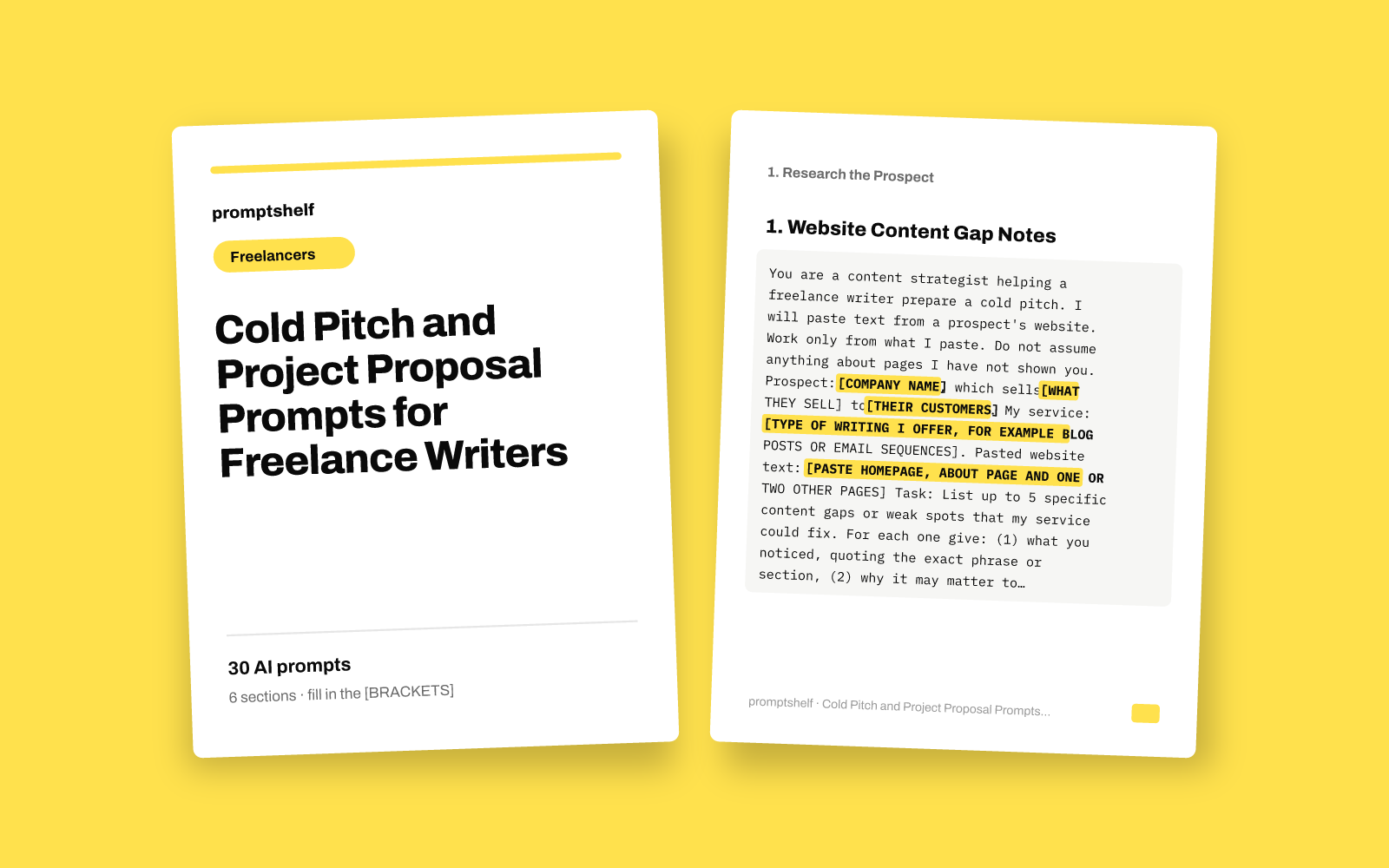
Cold Pitch and Project Proposal Prompts for Freelance Writers
Turn a job post or a prospect's website into a tailored pitch email and a clear project proposal in minutes.
Secure checkout by Gumroad: card, PayPal or Apple Pay. Instant download, no account needed.
Also in The All-Access Pass: every prompt pack: 16 packs for $29, save 89%.
- 30 ready-to-use prompts
- Instant PDF download
- Works with any AI assistant
- Pay once, keep forever
About this pack
This pack gives freelance writers and copywriters 30 prompts for the part of the job nobody pays for: finding a reason to write to a prospect, sending a pitch that sounds like you read their site, following up without nagging, and turning a yes into a clear written proposal.
The prompts follow the order you actually work in. You paste in what you have, such as a job post, a prospect's About page, your own samples and your rates, and the assistant drafts from that material. Each prompt tells the assistant to ask you for missing facts instead of making them up, so the draft does not claim results or experience you do not have.
What is not included: lead lists, email addresses, contract templates or legal wording. The pack does not promise replies or clients. It shortens the time from a blank page to a draft you can edit and send in your own voice.
What you get
- Prompts
- 30, in 6 sections
- Format
- PDF + plain-text copy
- Works with
- ChatGPT, Claude, Gemini, Copilot and other AI chat assistants
- Delivery
- Instant download, link also emailed
- Licence
- Your own personal and business use
- Guarantee
- 7-day fix-or-refund if the file is faulty
Try two prompts free
Website Content Gap Notes
Use before pitching a company whose site you have read but have no clear angle on yet.
Job Post Decoder
Use when a job post is long or vague and you want to know what to answer before writing your reply.
Highlighted parts are what you fill in.
Everything inside
1. Research the Prospect
- Website Content Gap Notes
- Job Post Decoder
- Voice and Audience Snapshot
- Find the Right Person to Pitch
- Match My Samples to This Prospect
2. Cold Pitch Emails
- Observation-Led Cold Pitch
- Pitch an Article Idea to an Editor
- Warm Pitch Through a Shared Connection
- Agency Subcontractor Pitch
- Re-Engage a Past Client
3. Replying to Job Posts
- Tailored Job Board Reply
- Reply When You Lack Direct Experience
- Answer Screening Questions
- Propose a Paid Test Piece
- Short Sample Opening for Their Brief
4. Follow-Ups and Replies
- First Follow-Up With New Value
- Final Close-the-Loop Email
- Reply to Not Right Now
- Reply to an Interested Prospect
- Respond to What Are Your Rates
5. Build the Project Proposal
- Discovery Call Question List
- Call Notes to Project Summary
- One-Page Project Proposal
- Three-Option Pricing Proposal
- Monthly Retainer Proposal
6. Scope, Objections and Closing
- Scope and Revision Boundaries in Plain Words
- Respond to a Price Objection
- Proposal Cover Email
- Nudge After Sending a Proposal
- Kickoff Email After a Yes
Who it's for
- Freelance writers and copywriters who pitch businesses, agencies or editors directly
- Writers who reply to job posts and want each reply to fit the post instead of a pasted template
- Newer freelancers who have samples but no proposal process yet
- Experienced writers who dislike outreach and want a faster first draft to edit
How to use it
- Start with a prompt from section 1 so you have notes on the prospect before you write anything.
- Copy a prompt into any AI assistant and replace every [BRACKETED PART] with your own details. Paste real text where it asks for it.
- Answer any questions the assistant asks before it drafts. Those answers are what make the pitch specific.
- Edit the draft in your own voice, check every fact and name, and remove anything you cannot back up.
- Send it yourself, then come back to sections 4 to 6 when the prospect replies.
Questions
- Which AI assistants do these prompts work with?
- Any modern chat assistant that accepts pasted text. The prompts are plain text with no special syntax, so you can copy them into whichever tool you already use.
- Will the assistant make up experience or results for me?
- Each prompt tells the assistant to use only what you provide and to ask or flag gaps instead of inventing facts. You should still read every draft and remove anything you cannot back up before sending.
- Does the pack include client contacts, contracts or a guarantee of work?
- No. It contains prompts for research, pitches, follow-ups and proposals. It does not include lead lists or legal documents, and it does not promise replies, clients or income.
- I am new and have few samples. Is it still useful?
- Yes. Section 1 helps you pick and present the samples you have, and section 3 has prompts for applying honestly when you lack direct experience and for writing a short sample opening for a specific client.


