Packs / Real estate agents / Property Listing and Buyer Follow-Up Prompts for Real Estate Agents
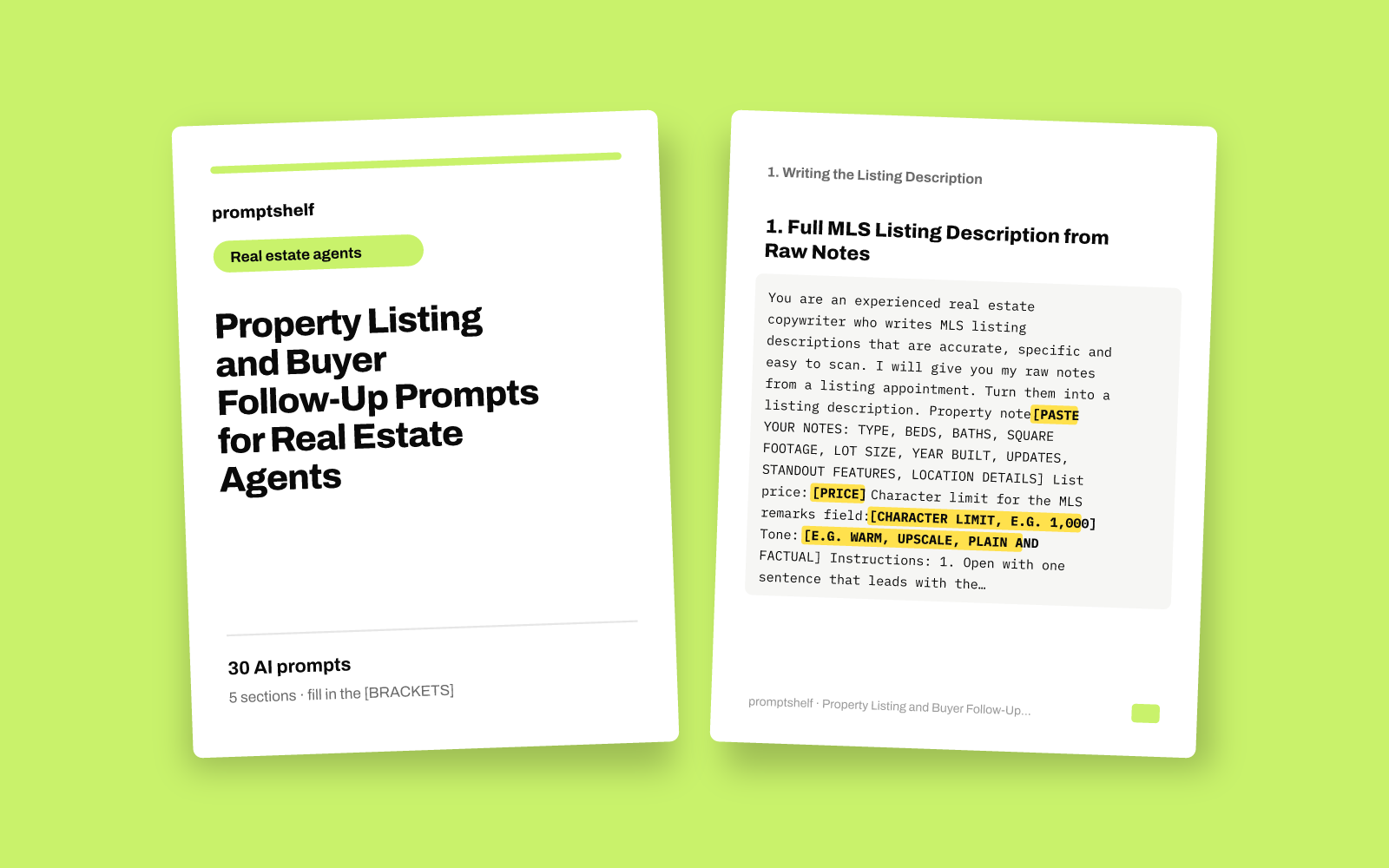
Property Listing and Buyer Follow-Up Prompts for Real Estate Agents
Write clear listing descriptions and follow-up messages for every enquiry without starting from a blank page.
Secure checkout by Gumroad: card, PayPal or Apple Pay. Instant download, no account needed.
Also in The All-Access Pass: every prompt pack: 16 packs for $29, save 89%.
- 30 ready-to-use prompts
- Instant PDF download
- Works with any AI assistant
- Pay once, keep forever
About this pack
This pack gives real estate agents 30 ready-to-paste prompts for the writing that eats up a working week: listing descriptions, listing marketing, first replies to new enquiries, follow-ups after showings, and keeping in touch with buyers who are not ready yet. Each prompt sets the assistant up as a specialist, tells it what details to expect from you, and asks for a specific output format, so you get a usable draft on the first try instead of generic filler.
The prompts are organized in five sections that follow a listing and a buyer from start to finish. You fill in the parts in [SQUARE BRACKETS] with your own property facts, buyer notes and tone, and the assistant is told to work only from what you give it and to ask when something important is missing, rather than inventing features, numbers or neighborhood claims. Several prompts also ask the assistant to steer clear of wording that could raise fair housing concerns.
What is not included: this is a set of text prompts, not software, templates for a specific CRM, legal or compliance advice, or a guarantee of more showings or sales. You still need to check every draft for accuracy and against your brokerage's and your local MLS rules before it goes out. The prompts work with ChatGPT, Claude, Gemini, Copilot and other modern AI assistants.
What you get
- Prompts
- 30, in 5 sections
- Format
- PDF + plain-text copy
- Works with
- ChatGPT, Claude, Gemini, Copilot and other AI chat assistants
- Delivery
- Instant download, link also emailed
- Licence
- Your own personal and business use
- Guarantee
- 7-day fix-or-refund if the file is faulty
Try two prompts free
Full MLS Listing Description from Raw Notes
Right after a listing appointment, when you have a page of notes and need a polished MLS remarks draft.
Three Headline and Opening Line Options
When the description is written but the first line feels flat and you want options to test across portals.
Highlighted parts are what you fill in.
Everything inside
1. Writing the Listing Description
- Full MLS Listing Description from Raw Notes
- Three Headline and Opening Line Options
- Short-Form Description for Portals and Flyers
- Description for a Home That Needs Work
- Condo or Townhome Description with HOA Details
- Listing Description Review and Compliance Check
2. Marketing the Listing
- Just Listed Social Media Posts for Three Platforms
- Open House Announcement and Sign-In Follow-Up Plan
- Email to Your Database About a New Listing
- Price Reduction Announcement That Keeps Momentum
- Neighborhood Highlights Paragraph from Your Local Knowledge
- Photo Captions and Virtual Tour Script
3. Replying to New Buyer Enquiries
- Fast First Reply to a Portal Enquiry
- Reply When the Home Is Already Under Contract
- Answering Detailed Questions About a Listing
- Reply to a Vague 'Is This Still Available?' Message
- Qualifying Questions Turned into a Natural Conversation
- Out-of-Area or Relocating Buyer Welcome Message
4. Following Up After Showings
- Same-Day Follow-Up After a Showing
- Showing Feedback Request to the Buyer's Agent
- Seller Update Summarizing Showing Feedback
- Follow-Up When the Buyer Went Quiet After a Showing
- Side-by-Side Comparison of Homes Seen
- Second Showing Preparation Message
5. Nurturing and Re-Engaging Buyers
- Personal New-Listing Alert for a Specific Buyer
- Monthly Market Update for Buyers Who Are Not Ready Yet
- Re-Engaging an Old Lead After Months of Silence
- Helping a Buyer After Losing an Offer
- Buyer Consultation Recap and Search Plan
- Post-Closing Thank You and Review Request
Who it's for
- Residential real estate agents who write their own listing descriptions and want a faster, sharper first draft
- Buyer's agents who handle a steady flow of portal, website, text and WhatsApp enquiries and need to reply quickly and personally
- Newer agents who want a clear structure for follow-ups after showings and open houses
- Team leads and transaction coordinators who draft messages on behalf of agents and want a consistent tone
- Solo agents without a marketing assistant who still need social posts, emails and flyer copy for each listing
How to use it
- Find the section that matches where you are in the process: a new listing, marketing it, a fresh enquiry, a showing follow-up, or a buyer you need to stay in touch with.
- Copy the prompt into your AI assistant and replace every part in [SQUARE BRACKETS] with your real details. The more specific facts you give, the better the draft.
- If the assistant asks you questions before writing, answer them. The prompts tell it to ask rather than guess.
- Read the draft closely, correct any detail, and check it against your MLS rules, brokerage policy and fair housing guidelines before you post or send it.
- Save the versions that work well for you and reuse them as your own house style in later prompts.
Questions
- Which AI assistants do these prompts work with?
- They are plain text prompts, so they work with ChatGPT, Claude, Gemini, Microsoft Copilot and other modern AI chat assistants, including free versions. You do not need any special plugin or paid tool.
- Will the AI make up details about my listings?
- Each prompt tells the assistant to use only the details you provide and to ask or leave a placeholder when something is missing. AI tools can still make mistakes, so always read the draft and check every fact before you publish or send it.
- Do these prompts make my listings compliant with fair housing rules or MLS requirements?
- No. Several prompts ask the assistant to avoid wording that commonly raises fair housing concerns, and one prompt helps you review a draft, but they are not legal advice. You are responsible for checking your copy against fair housing law, your MLS rules and your brokerage's policies.
- Can I use these outside the United States?
- Yes. The examples use US terms and dollars, but the prompts work for agents in the UK, Canada, Australia and Europe. Just fill in your local terms, currency and any market-specific rules in the bracketed fields.


