Packs / Content creators / Video Repurposing Prompts for Solo Creators: One Long Video into a Week of Shorts
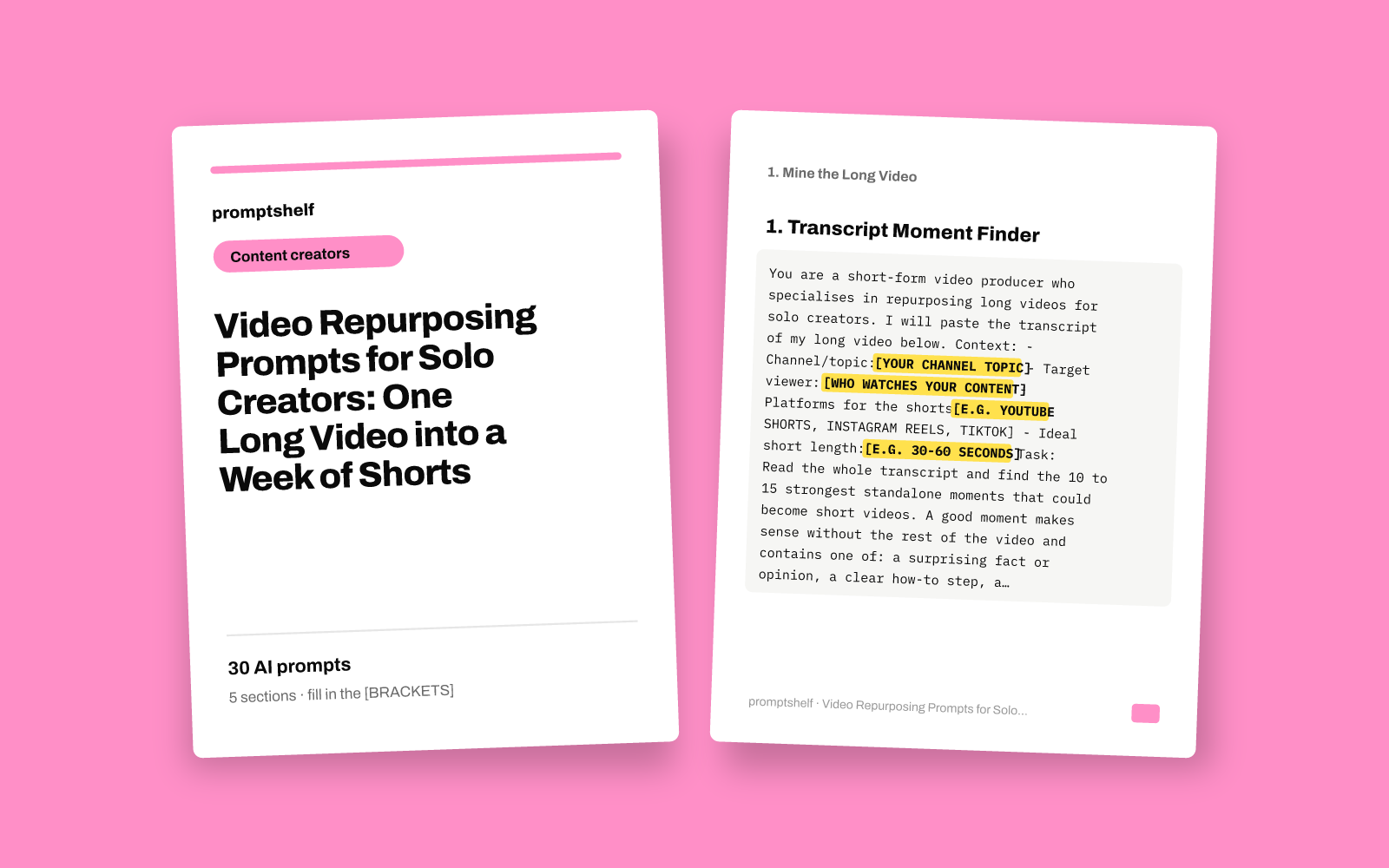
Video Repurposing Prompts for Solo Creators: One Long Video into a Week of Shorts
Paste one transcript and get hooks, short scripts and captions ready to record.
Secure checkout by Gumroad: card, PayPal or Apple Pay. Instant download, no account needed.
Also in The All-Access Pass: every prompt pack: 16 packs for $29, save 89%.
- 30 ready-to-use prompts
- Instant PDF download
- Works with any AI assistant
- Pay once, keep forever
About this pack
This pack is 30 copy-and-paste prompts for solo creators who publish long videos (YouTube videos, podcasts, livestreams, webinars) and want to turn each one into a week of short-form content without starting from a blank page. You paste in your transcript, fill in a few bracketed details about your channel and audience, and the AI assistant does the first draft of the slow work: finding the moments worth clipping, writing hooks, drafting 30 to 60 second scripts, and writing captions, on-screen text and titles.
The prompts follow the order you actually work in: mine the transcript, find angles and hooks, script the shorts, write the text that goes around them, then plan and review the week. Every prompt tells the assistant to work only from the material you give it and to ask you when something is missing, so it does not invent stories, numbers or claims you never made. They work in ChatGPT, Claude, Gemini and similar assistants.
What this pack does not include: it does not edit video, cut clips, generate thumbnails or post anything for you, and it contains no templates for a specific editing app. The output is text drafts that you review, adjust to your voice and record or edit yourself. It makes no promise about views, followers or income; it saves drafting time and gives you more options to choose from.
What you get
- Prompts
- 30, in 5 sections
- Format
- PDF + plain-text copy
- Works with
- ChatGPT, Claude, Gemini, Copilot and other AI chat assistants
- Delivery
- Instant download, link also emailed
- Licence
- Your own personal and business use
- Guarantee
- 7-day fix-or-refund if the file is faulty
Try two prompts free
Transcript Moment Finder
First step for every new long video, to get a ranked list of clip-worthy moments from the full transcript.
Core Ideas Extractor
When your long video is an explainer or tutorial and you want the key teaching points pulled out before writing shorts.
Highlighted parts are what you fill in.
Everything inside
1. Mine the Long Video
- Transcript Moment Finder
- Core Ideas Extractor
- Story and Anecdote Finder
- Quotable Lines Collector
- Clip Boundary Planner
- Audience Question Mapper
2. Angles and Hooks
- Multi-Angle Hook Generator
- Hook Fixer and Tightener
- One Moment, Five Angles
- Contrarian Take Builder
- Pattern-Interrupt Openers
- Hook Bank by Topic
3. Write the Short Scripts
- Transcript-to-Short Script
- Quick Tutorial Short
- Story Short Script
- Myth vs Fact Short
- List-Style Short
- Multi-Part Series Splitter
4. Captions, Titles and On-Screen Text
- Platform-Specific Caption Set
- On-Screen Text and Subtitle Cleaner
- Short Titles That Get Searched
- Long Video Teaser Caption
- Carousel and Text Post Converter
- Comment Reply and Engagement Prompts
5. Plan, Batch and Review the Week
- Seven-Day Shorts Calendar
- Batch Filming Shot List
- Voice Match Rewrite
- Repurposing Quality Check
- Weekly Performance Review
- Next Long Video Ideas from Shorts
Who it's for
- Solo YouTubers and podcasters who publish one long video a week and want shorts from it without hiring an editor or writer
- Educators, coaches and consultants who record webinars or livestreams and want to reuse the best explanations as Reels, Shorts and TikToks
- Creators who already post shorts but spend too long staring at a transcript deciding what to clip
- Small brand or personal-brand accounts run by one person who handles filming, editing and posting alone
How to use it
- Export or copy the transcript of your long video (YouTube auto-captions, a podcast transcription tool or your editing software all work). Timestamps help but are optional.
- Start with Section 1: paste the transcript into the first prompt and fill in every [BRACKETED FIELD] with your own details. Keep that chat open so later prompts can reuse what it found.
- Move through the sections in order: pick moments, write hooks, script the shorts, then write captions and titles. Each prompt says when to use it, so you can skip ones that do not fit this week's video.
- Read every draft before you use it. Change wording to sound like you, check any fact or number against your original video, and cut anything that does not fit.
- Use Section 5 at the end of the week to plan the posting schedule and, after posting, to review what worked and feed it into next week's batch.
Questions
- Do I need a paid AI subscription to use these prompts?
- No. The prompts are plain text and work in free and paid versions of ChatGPT, Claude, Gemini and similar assistants. Free versions may have shorter limits on how much transcript you can paste at once; if your transcript is too long, paste it in parts or use only the section you need.
- Will the AI make things up about my video?
- Every prompt tells the assistant to use only the transcript and details you provide and to ask you when something is missing. That reduces invented content, but AI assistants can still make mistakes, so read each draft and check any facts, numbers and quotes against your original video before posting.
- Does this pack edit or cut my video?
- No. The pack produces text: moment lists, hooks, scripts, captions, titles, shot lists and plans. You still record, cut and post the videos yourself in whatever editing tool you already use.
- Will these prompts work for podcasts, livestreams or webinars?
- Yes, as long as you have a transcript. Anything you can turn into text, including podcast episodes, livestream recordings, webinars and long interviews, can be pasted into the prompts in place of a YouTube transcript.


